Monday, 18 October 2010

HD Ready TV flicker - flickering with SKY + HD Flashing problems HDTV Converter problem

It is the day and age where we all want those stunning high definition pictures. If you have Sky HD and from 2009 onwards you will not be given the old generation HD boz which had the component video out slots on the back.


So you do have an older HD Ready TV and you find it only has the component phono inputs / DVI inputs but no HDMI slots ?? So what do you do?


Most people just wait on the Sky engineer to come out to see what he recommends and the Sky engineer will fob you off with a scart connection and say you can only recieve standard definition. If you live in the great part of the United Kingdom known as Northern Ireland, you will get a very adventurous Sky HD engineer who will attenpt to connect you up using an HDMI cable coming from the box with an HDMI - DVI converter on the other end which quite simply won't work, especially on a Hyundai HD TV.


So...


This is what you do... You sinply navigate to http://ebay.co.uk/ and purchase an HDMI - DVI cable. You may think this is the exact same thing but its not. You need the direct cable as the converter loses too much of the signal during output.


DO NOT USE THIS!


USE THIS! (Below)

Mobile Phone Bluetooth Transfer Problems

If you have a USB bluetooth dongle or a built in bluetooth card sometimes you will find that (especially sony ericsson mobiles) will not allow the transfer of pictures to the laptop or desktop pc.

This happens for many reasons and can be fixed by simply downloading the software studio for the particular mobile phone. Then just go about your business as usual and it will now work. If not just leave a comment and I will look into it further...

Here are some links to the various providers offering desktop studio software. The cool thing is that the software will also allow you to send text messages from your computer without physically using your phone which is great if you are surfing.

Links:
http://www.o2.co.uk/
http://online.vodafone.co.uk/
http://www.orange.co.uk/
http://www.t-mobile.co.uk/
http://www.three.co.uk/
http://www.tesco.com/mobilenetwork/

FIREFOX TWEAK - SUPER FAST INTERNET - Make internet faster

1. Download and install the latest firefox browser

2. Type about:config into the address bar and hit enter.

3. Type network into the search box to look for a particular string setting.


4. Scroll down and look for network.http.pipelining. You will want to double click this setting to change it to true and make sure it says it is user set.

5. The scroll down to network.http.proxy.pipelining and double click this setting so that it is also true.


6. The up to network.http.pipelining.maxrequests and double click this setting. When the dialogue box appears you will enter the number 30 and click okay.


7. Then anywhere on the whitespace at the right hand side right click the mouse button and select new –Then select Integer. You will then enter nglayout.initialpaint.delay as the name and click ok. And FINALLY enter the number 0 in the next area that comes up and then click ok.


8. RESTART firefox and you now are benefitting from a superfast internet experience and are getting value from your broadband connection.

Thursday, 20 May 2010

How to Improve Computers Performance - System Optimisation

  • Improve computer performance
  • Remove viruses, and general Malware
  • Speed up my computer
  • Remove temporary files
  • Use industry recognised programs

Learn how to optimise your computer system now by downloading the .doc file now which takes you step by step through a simple system optimisation process tailored to the general Joe Bloggs like you and me

Click Here to Download Now!

Monday, 17 May 2010

HOW TO GET THE WINNING LOTTO NUMBERS !

Have you ever taken a stroll to your local Ladbrokes to do the UK National Lottery and been very undecided on the six numbers that could potentially be life changing?

Well, here's a great little program designed for Windows XP/Vista/7/etc that allows you to choose six lucky numbers at random (Quite like the actual number chooser on the National Lottery show) so I bet you fancy your chances!!!

This program was written in C++ by MR Ryan Scott from the University of Ulster in the United Kingdom and may be downloaded and distributed freely as you wish.

Just follow the link and you will get a warning message as the file is a .exe but you may download and scan with AVG before opening if you wish.

DOWNLOAD CLICK HERE!

Good Luck :)

Saturday, 20 February 2010

http://www.freehostni.co.uk - FREE WEBSITE HOSTING

We decided to search for a good reliable website hosting company that was extremely cheap! Well we actually wanted one that was FREE! And boy did we find it. We came across a company called free host ni and decided to register for an account to try it out.


We were amazed to find that it offered:
  1. 250mb Disk space (Large enough for any large website)
  2. 6144mb Monthly transfer (Not many ever exceed this)
  3. SQL Databases
  4. Add on domains
  5. Sub Domains
  6. Simple to use control panel
  7. Password protection enabled folders for confidential areas
  8. Automatic script installers
  9. FTP Account
  10. Browser file manager
We tested out this company with a website we had designed. We purposely coded it to be slow but the free host ni servers delivered content extremely fast for a free hosting service. It had 100% up time for the 3 whole months that we tested it for which is amazing.

They also provide free technical support and guide you in every way. This really is a winner in our book and is highly recommended to everyone. We don't believe that you should pay monthly fees for hosting when a company like this provides it for free.

Whats the catch? ... Well there isn't one as such! The only thing to bear in mind is that when you sign up for a free account the company will place one small banner advert at the bottom of the page. This is how they provide their free services. They place one small advert there in the hope that some of your visitors will click it and make them the 2 pence for that click. It isn't much to ask for getting free hosting forever - so we thought anyway.

We asked the company to provide a random customer using the service and they gave the following Euphory Designs London If you click here you can see the small advert at the bottom of the page. It is in no way intrusive.

So FREE HOSTING ! You got it !!

Free Host NI
http://freehostni.co.uk/
Northern Ireland, United Kingdom
08444 871 421

Wednesday, 17 February 2010

Microsoft Hotmail service outages - NOW RESTORED !!

Microsoft Hotmail, the free email service and provided by Microsoft, was reported down. But now, "Hotmail down" and "Hotmail service unavailable" must be replaced by "Hotmail up" and "Hotmail service now available".

According to Business Week, the massive problems started in the "Windows Live ID service" used to sign in customers. It's also used by XBox customers for online game accounts. More than 460 users Worldwide have accounts, or a population larger than America as a whole.

The problems have been fixed and Microsoft told users that they were sorry. XBOX live is now up and running again also and the ids are now working - I have checked lol.

find out more from Microsoft

Wednesday, 25 November 2009

Microsofts XNA and the XNA Creators Club

If your anything like me you would have been sitting at the XBOX 360 playing Call Of Duty Modern Warfare 2 and thinking how the heck do they do all of this. So it got me wanting to try and make my own game.

I checked out the creators club for XNA and discovered some really cool tutorials. It allows the user to construct their own 2D and 3D game in XNA / C# programming.

Why not check them out today, Im glad I did, I was able to make a fully functioning game within one week.

Wednesday, 11 November 2009

ikee Never gonna give you up! - iPhone Worm

The ikee worm reported on the 9th November where the iPhone wallpaper is changed to an angelic picture of 80s music legend Rick Astley. A 21year old from Austrialia thought it would be a joke to infect vunerable phones with the worm. It has since spread global.

It seems that only phones that have been Jailbroken are infected and those that have the SSH software installed. This allows them to install 3rd party apps not approved by Apple.

I do not think Mr Towns who wrote the virus should be penalised in any way, afterall, he did in fact shed some light on the fact that Apple has actually shown a lack of security knowledge for their product. If backstreet programming was unable to take place then the security threat would be much less. It is impossible to have solutions to all security threats and viruses though it is good for other vunerabilites to come to light which perhaps the origional designer may not have thought about.

Security in computing is very big business and its helpful to be made aware of potential threats so they can be dealt with accordingly. Apple have since employed someone to oversee a team of software engineers dedicated to the iPhone OS security.

Friday, 2 October 2009

Trixbox Virtual Telephony System VOIP

Owning a business is just the easy part. Paying for an expensive and highly configurable telephone system isnt.

Example of this system use:


  • An office internal telephone system with 40 extensions (can be a PC or Analogue telephone)

  • Integrated with the existing BT telephone line for making and diverting external customers

  • Software runs on a dedicated old computer

  • PCI Networking cards (FXO) used for connection of analogue extensions

  • Virtual PBX software to use the laptop/PC as a telephone

The list is endless. Just check out http://www.trixbox.org/


Microsoft Windows 7 Installation Problem Wont start


Came across this problem today when installing windows 7 64-bit via clean install using boot from cd. At first it seemed to install correctly and when windows decided to restart the computer to finish the installation it would not boot from the hard drive to complete as it should.
It just froze in the same state, so after working about with the computer to troubleshoot the problem I discovered that the problem was the following: I had a slave hard drive installed and this seemed to cause problems. So I removed the other storage drive and kept the main C:/ drive and off she went (as they say) so I treated myself to a good old cup of tea :)

One other small problem was that at the beginning windows 7 would not install due to needing the drivers for certain media. It insisted on the drivers before the install would contuinue. It appeared to want RAID drivers however the problem appears if you are using the wrong version of the operating system. Ie (x86)

Wednesday, 18 March 2009

BSOD F854A0BF Installing XP Problem Formatting ?

STOP: 0x0000007E (0xC0000005, 0xF854A0BF, 0xF8996208, 0xF8995F08) pci.sys - Address F854A0BF base at F8543000. Datestamp 3b7d855c

During an installation of XP onto a laptop or a desktop, we had many complaints of this error.

So why does it happen? It's simple (Take it from me, or spend hours on googs)
It happens as the computer was more than likely not designed for XP or some parts inside were not. And trying to run the setup is causing conflict between software and parts resulting in this error.

How to fix it ?
You are more than likely using XP with SP1 or worse just plain old 2002 XP with no service pack. If so you will need to install or (Slipstream) your own service pack onto your existing disc then create a new disc with the service pack included.

Basically installing the operating system with a newer or newest service pack will fix this problem.

I will now give credit to another website who lets face it does a pretty good job of explaining slipstreaming. Click the link below:

http://www.msfn.org/articles.php?action=show&showarticle=49

Also you may find it useful to use the NLite program to slipstream and a quick search on google should find it.

Please leave comments if this works for you and show support for similar articles so i feel as though im actually helping people and not just having fun lol :)

Thursday, 12 March 2009

How to change the owners name on Microsoft Windows XP ?

How to change registered owner`s name on Win XP

1) Go to Run then type regedit
2)Find and go to below key:HKEY_LOCAL_MACHINE\Software\Microsoft\Windows NT\Current Version
3) Change your name in following subkey :Registered Owner

Hey Presto :)

Wednesday, 11 March 2009

Belkin rt73 Wifi Wireless Driver xp linux etc


If like me youve found this driver very hard to come by then this is probably the right one. Firstly the Belkin F5D7050 comes with the wrong drivers and not too helpful of Belkin to put the wrong drivers on their website.

Anyway you can download the rt73.sys drivers here just click the link below and install these drivers. Once again help is available through the comments.

http://www.mediafire.com/?sharekey=73852b7c779048de0f83d91f6dff7c38e04e75f6e8ebb871

If this helps you out please leave comments to let me know or show other users.

Thanks! :)

Sunday, 22 February 2009

E-COMMERCE Take your business online!

What is e.Commerce?

e.Commerce is selling goods using web pages and the internet, it is conducting business on-line. This includes, buying and selling products, digital cash such as Paypal, and via Electronic Data Interchange (EDI).


Some of the components of e-commerce include:


Electronic presentation of goods and services (catalog)
On-line ordering and payment processing (SSL)
Automated customer account inquiries
Receipt generation and on-line bill/account presentation
A few ways to implement e-commerce include:
Develop an interactive database-driven online catalog
Add secure on-line ordering capabilities with electronic payment, real-time shipping quotes and electronic receipts
Web-enable invoices, receipts and statements for real-time presentation


Benefits of e-commerce include:
Increased order capacity with less human intervention
Incresed margins by improving the transaction cycle processes
Improved customer service by providing customers "What they want, when they want it"

Transaction Cycle
Merchant builds their site/store – A company would design and build a web site that includes for sale product and/or services. In addition, they would select a method of payment processing, and integrate these abilities into the site. Once the site is completed, the merchant is ready to receive orders from shoppers.
Visitors place orders – Shoppers can browse through products, adding them to a shopping cart as they go. When they’re finished shopping, they confirm the order, and provide personal contact information, including a shipping address.
Enter payment details – Once the purchaser enters their personal information, they’re prompted for the credit card number (or other accepted payment methods). Once the data has been entered, shoppers click on "Confirm Order".
Authorizes order – Once the customer places the order the system will seek approval of the credit card. The system would either submit the credit card details to a payment clearing house or directly to the banks network.
Approves or Denies – Once the bank’s system receives the transaction authorization back, it approves or denies the order based on the shopper’s available credit and status.
Returns information to store – The approval or denial is then sent back to the store, and provided to the shopper. If it was completed, a transaction or order number and receipt is displayed for printing. From start to finish this process usually takes less than 15 seconds. When the order is approved, the bank will debit the item on the shopper’s credit card, or the funds are transferred into the merchant's bank account.
Posting into accounting system - Once this cycle has completed, the results of the order confirmation get polled by RemoteDesk for data verification and preparation for posting into ACCPAC Plus, ACCPAC Windows or Adagio


RemoteDesk takes your remote source ordering needs one step further by offering an inexpensive way to integrate your website and shopping cart data to your back end accounting system.
How? Automatic polling and posting to ACCPAC Plus, ACCPAC Windows or Great Plains Dynamics using RemoteDesk e.Commerce as your data "traffic cop".
In the general setup steps in taking your company to the web, the number one issue overlooked is back-end integration to your accounting system. How are you going to get all these great orders from your website and into your accounting system?? Well look no further, because we have solved that ever-present question that will soon become your largest source of problems if not addressed.
How does RemoteDesk e.Commerce work?
RemoteDesk e.Commerce serves the same purpose as the Administrator only with the added functionality of web integration. It resides at the head office, and polls the website or e-mail system for orders, in addition to the ability to receive orders from salesrep laptops, branch office PC's or PocketPC devices


Promoting Your Site
There are many ways to promote your site, some are more successful than others. Below are listed the "Top 10 Ways to Promote Your Site", and how to maximize each of these options.
Your best bet is to pick which ones best suit the nature of your products or service and start there.
1. Submit your site to Search Engines.
After submitting your website information to the search engines, there are a few more things you can do to promote your site. They include the following:
2. Announce on your ISP's Member Site List
3. Post to Newsgroups
4. Press Releases
5. Submit to Award type websites
6. E-mail to databases
7. Anounce to Special Interest Groups
8. Tell Everyone
9. Add your web site to all regular business forms
10. Reciprocal Links

Submit your Site to Search EnginesSome of the most popular search engines are:


Yahoo
Excite
WebCrawler
Lycos
Infoseek
Alta Vista
Google


You can do this one search engine at a time, or use a service/product or company that will do a global search engine submit for you. The site we use is; Net Mechanic Lastly - read all about Web Site Promotion Techniques for Top Search Engine Listings
Another important place to submit your website is to Free Link Pages. These are growing in popularity and are available on many sites.


Announce on your ISP's Member Site ListMost Internet Service Providers (ISP) have an area where users can talk in a forum or a directory. Be sure to include yourself in this area.


Post to NewsgroupsPost an announcement on all relevant usenet newsgroups. If your website has regional information, post in the general newsgroup for your region. You should limit your postings only to newsgroups which are designated for commercial announcements. You are trying to build goodwill so post where appropriate, and when appropriate.


Press ReleasesPress releases are a great promotion tool. You can create, post it on your own site, and submit it to appropriate print, broadcast, and internet media. If your site is;General interest - your options include your local newspaper, and some of your local radio and television stations. Special Interest - your options include trade publications and broadcast media that focus on some niche area of interest.Before sending a Press release though make sure you have;
written it correctly, and it is newsworthy.
you have the correct contact for your area or you can simply submit it to a press release agency, and hope that somebody finds it interesting and does a follow-up with you or posts it.


Join local groupsIf you can get your website listed as Cool Site of the Day or be designated a Point Review Top 5% of the Net, you may have to start worrying about the bandwidth policy of your ISP. Some of this recognition has been known to load down a server, at least for a few days, if not for the long term. If you are not familiar with these web awards take a look at our page titled, Special Awards and Recognition. This type of special recognition not only will generate traffic to your website, but it also makes you feel really, really good. There's not a lot of high pay out there for building an excellent website, so its a great reward to get some well deserved recognition from your peers for your efforts. You can't receive these accolades unless the web reviewers learn about your site. They look at a lot of sites everyday to make their selections. In fact, these guys are so busy looking at sites, how do they find yours? They don't. You find them. The best way to get noticed, reviewed, and maybe even recognized with an award is to submit information to them just as you did to the search engines. In fact, you probably can even use the same text you used for those announcements. Not all web reviewers are created equal. A review or award from one reviewer may produce thunderous traffic, whereas another may not even produce a ripple on your site access stats. Except for a few of the biggies, you can't really tell what will produce the most visitors to your website. All I can say is submit your website to as many of the appropriate ones as you can. If you recognize some names, you should probably submit to them first. If you don't know where to start, here are a few websites that keep track of these reviewers and you can follow their links to the submission points.


E-mail to VIPsIf you read in the paper or hear on the news, that a congressman has given up on budget and welfare reform and has decided to coddle up to a special interest in congress, you should send him a fax, letter, and/or e-mail announcing the great resource that you have made available free to the web-walking public. They may be so impressed by your public spirit and the incredible content of your web page that he reads it into the Congressional Record. Imagine, your life will never ever again be the same.


Special Interest GroupsYou should notify all the other home pages dedicated to your topic that your website has arrived. They will probably want to link to your page. If your website is all about HTML programming, you should probably look for webmaster websites and user groups (SIGs). Generating links and word of mouth advertising will expand your reach and bring in more traffic.


Tell Everyone with whom you CommunicateYou should follow the newsgroups on your local ISP. You will not only get good information to keep you current, but you will also find opportunities to answer a question with a follow up posting that just happens to mention your relevant website (with full URL address on a separate line).


Use all regular forms of Business CommunicationsIf you have built your website as a means of generating traffic to your business and/or business website, be sure also to publicize your website by putting it on your letterhead, your business cards, your invoices, your advertising, and any other form of communication you use regularly to keep in touch with your customers and to pursue new prospects for your business. Don't believe in the axiom, "If you build it, they will come." They won't come if they don't know about it. Don't forget to put a brief description or the websites name along with its URL in your signature file for your e-mail system(s). Every time you e-mail someone you want to automatically advertise your website.


Reciprocal Links Reciprocal links are the word of mouth advertising of the internet. Do request them, but don't insist on reciprocal links. It doesn't work. But do provide a reciprocal link to any and all websites that link to yours, provided its the kind of website with which you want to be associated. Don't bother with the automatic link sites either. These listing of websites are not going to provide you with any worthwhile traffic
Monitoring the successof your on-line promotions
There are a few methods to monitor web and e-mail activity. They all serve a different purpose, and some provide overview while others give you the detail you may need. Take a look below at some of your options, and decide what is best for your promotion based on what you did.


Web site statistics
Most ISP's have detailed logs of your web activity, everything from Monthly Statistics, Daily Statistics, Day of Week Statistics, Hourly Statistics, most page views and most visits. Then they can provide general statistics such as; Top 10 Files by Number of Hits, Top 10 Files by Volume, Complete File Statistics, Top 10 Most Frequently Requested 404 Files (errors), Complete 404 File Not Found Statistics, and a break down of domain origins by country. Then you get page by page statistics, hits, keywords, and more.
This is sometimes in a raw format, but if you have done an e-mail blast or just put up a new banner someplace, this is a great place to come and see if the web hits have increased.

Use third party products such as Superstats
This product helps to quantify and qualify your various marketing efforts so you can have proof of success or find areas in need of work.

For general statistics you can look at The Referrers Report which details how people are finding your site—links from other websites (possibly an advertising campaign), various email or newsletter sponsorships or articles, search engines and more. It even provides you with the URL of the referring site, so you can see exactly where your hits are coming from. By paying close attention to this report, you can determine if a specific banner ad campaign has been successful (compare the percentage of hits coming from other websites and follow the referring links to see precisely who is sending you hits) or whether you need to boost your marketing efforts.

The Reference Report also allows you to monitor the success of on-site promotions.
Try setting up another page within your site that details a monthly promotion. Make your visitors aware of the promotion by advertising it on your homepage or sending an email. Then watch your Referrers Report to see how well the promotion does. The report will detail which link (email, homepage, etc.) is sending the most hits to your special promotion page so you can determine which format is most preferred by your audience and most effective for your site.
The only thing with these services, you usually have to display a banner for them
Set up separate web sites for ads and e-mail promotions

If the campaign is large, you may even want to set up an entirely new web site to monitor the progress and flow through of the ad and each page. Most ISP's allow you to set up 'sub domains'. These are domain names that go to your original account, ie. www.bravosw.com, but when the user invokes the sub domain name (ie. www.bravobucks.com) it is re-routed to a subdirectory on your site (that you must set up), and it looks like a completely new site, with new statistics for specialized monitoring. Sometimes these sub domains can cost a few dollars a month, but they are a great way to know exactly how that ad campaign did, and are no where near the expense and setup of setting up an actual new original domain name site.


Use HTML forms and separate e-mail addresses
When we are doing a banner ad or e-mail blast, to monitor the progress we set up either a completely new page that receives the click throughs from that ad, or an HTML form where they can make some sort of request that is also unique to the campaign. Select to see a FORM example. This form is then sent to a specific e-mail address, that once again is unique to the campaign. With our ISP, we can have unlimited e-mail addresses, that we control the set up of ourselves, and this is really convenient when it comes to seeing the actual results of a banner, or direct e-mail campaign.

Wednesday, 18 February 2009

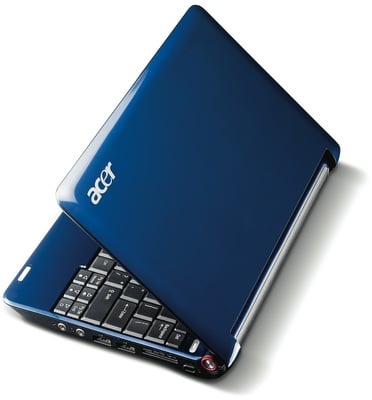
ACER ASPIRE ONE RUNNING SLOW ALL OF A SUDDEN !! HELP !!


I thought I had kiledl my little Acer Aspire One, by having all of my programs intense running all the time. Originally, after I first bought it, I could open files to edit, listen to music, and browse Facebook all at the same time with ease. Then, without much warning or little reason, it started going SLOOOOOOWWWW. It took tons of research and clever Google keyword mashing to find out the solution in my case.


My hard drive was running in PIO Mode. This a) eats up CPU speed because PIO mode needs CPU overhead, and b) makes accessing any read/writes slower too. You can check if this is your problem by going to Start -> Run -> devmgmt.msc -> IDE ATA/ATAPI -> Primary IDE Channel -> Advanced Settings.


If it says Current Transfer Mode: PIO (or anything less than Ultra DMA Mode 5) then you might be experiencing the same problem.This happens automatically by windows when it thinks your hard drive has errors - often caused by multiple or frequent hibernating/standbys/restarts. Fixing it requires making the computer take less of these errors before it enters this mode.Fixing it in my case was easy once I found the right registry keys. Warning: I am not responsible if this damages your PC, don't try this at home. I found "HKEY_LOCAL_MACHINE\SYSTEMS\CurrentControlSet\Control/Class\{4D36E96A-E325-11CE-BFC1-08002BE10318}\0001" in regedit. Then I changed MasterDeviceTimingModeAllowed to 0xFFFFFFFF by typing f eight times in the box after clicking it.Then I opened the properties (advanced settings like above) for that channel, changed 'device 0 transfer mode' to PIO Only, then clicked okay. Then I went back there and changed it back to "DMA if available". This is sort of like a 'soft reset'. After clicking okay, and checking again, I was running in full Ultra DMA Mode 5 speed.


And yes its really fast again and no upgrade in memory or reformat ! lol win win

Sunday, 15 February 2009

Components of a computer


Components of a Computer System

Case with Power Supply


Motherboard


Processor


Cooler


R.A.M


Graphics Card


Sound Card


Modem


Hard Drive


Network Card


DVD Rewriter


Floppy Drive


Software Required


Operating System


Microsoft Office


Antivirus


Hardware


Keyboard


Mouse


V.D.U


Printer


Speakers

Sunday, 8 February 2009

New WINDOWS 7 - Find out here !

Microsoft has revealed details of Windows 7, the next version of its desktop platform. It has loads of user interface improvements, plus features to make the operating system easier to setup and manage for corporate I.C.T departments.


Windows 7 tries to make the use of networks easier and improves the way people use devices and peripherals. It gives better performance than Vista on the same hardware, say Microsoft.

Microsoft have accepted that Vista hasn't went down as well as they had hoped which is why everything is different with Windows 7.


Drivers and other program compatibility just wasn't there in time for Vista. System requirements for Windows 7 are yet undisclosed. Apparently Windows 7 gives pleasing performance even on netbooks with an Atom processor and 1GB memory.


Windows 7 has a cleaner user interface designed to let users get tasks done faster. There are far less annoying pop-ups and notifications, and users can control what appears in their Task Bar and System Tray.

A touch-based user interface extends Tablet PC technology to let users control their PC using a fingertip and gestures reminiscent of those supported by Apple's iPhone.


The user interface of Windows 7 will be less complicated looking than Vista and gone is the Windows Sidebar which allows users to place Gadgets anywhere on the desktop.


Windows 7 PCs will also be able to "see each other" and access each other's resources on a home network easily with the new Home Group feature, but corporate laptops brought home will not allow this, so as to protect sensitive data which is great.


Windows 7 will support streaming to network-enabled media players, and many more media formats are supported, such as the Advanced Audio Coding (AAC) used by iTunes, Divx and new HD camcorder formats.


Connecting to Wi-Fi networks is also easier. In the system tray, Windows shows the wireless LANs available and you can just pick one, supplying credentials when needed.

Microsoft has also overhauled the way devices work with Windows 7 PCs. Device Stage provides an all-in-one view of a device and what it can do.


With a multi-function printer, users will be able to scan, print, fax, and even access any built-in storage from Device Stage, for example.


For corporate users, BitLocker now encrypts USB Flash drives, and administrators can configure a policy so the user must encrypt one before data can be copied to one from a company PC. AppLocker enables administrators to apply a white list of applications users are allowed to run, while Windows 7 will also enable an image to be applied to a system without losing user files and data.

Friday, 6 February 2009

Trend Micro Internet Security Pro 2009

Trend Micro's Internet Security 2009, launched in October, can be used on up to three desktop systems to protect against malware and other security threats.
Extra features have been added as the threat landscape has changed.

Support is limited to desktop Windows systems, 32/64-bit Windows Vista Ultimate, Vista Business, Home Premium and Home Basic (all with Service Pack 1), Windows XP (32-bit) Home/Professional Edition (with Service Pack 2) and Windows XP Media Center/Tablet PC 2005 Editions (with Service Pack 2).

The main security features in the package are anti-virus and anti-spyware, personal firewall, spam email filter, parental controls, data theft prevention, and phishing/pharming protection.


The Professional version has an activity dashboard giving a summary of the security threats found, and access to the logs created when Pro 2009 has performed a scan.


There is a password-protected vault for storing confidential documents in case the computer is lost or stolen.
Basically the program has come a long way since previous versions. So download and reap the benefits today at:

Free Software - Find out your computer spec and run reports !

Ever lost drivers and documentation to a much loved PC. I sure have and it's annoying to say the least. However with the right information and tools you can find out just about anything which has proven very useful for many of my customers.


Heres the link and muck about with the software it's very easy to use and if you need help or want to ask questions please do so through comments.


http://www.lavalys.com:8081/everestcorporate460.exe